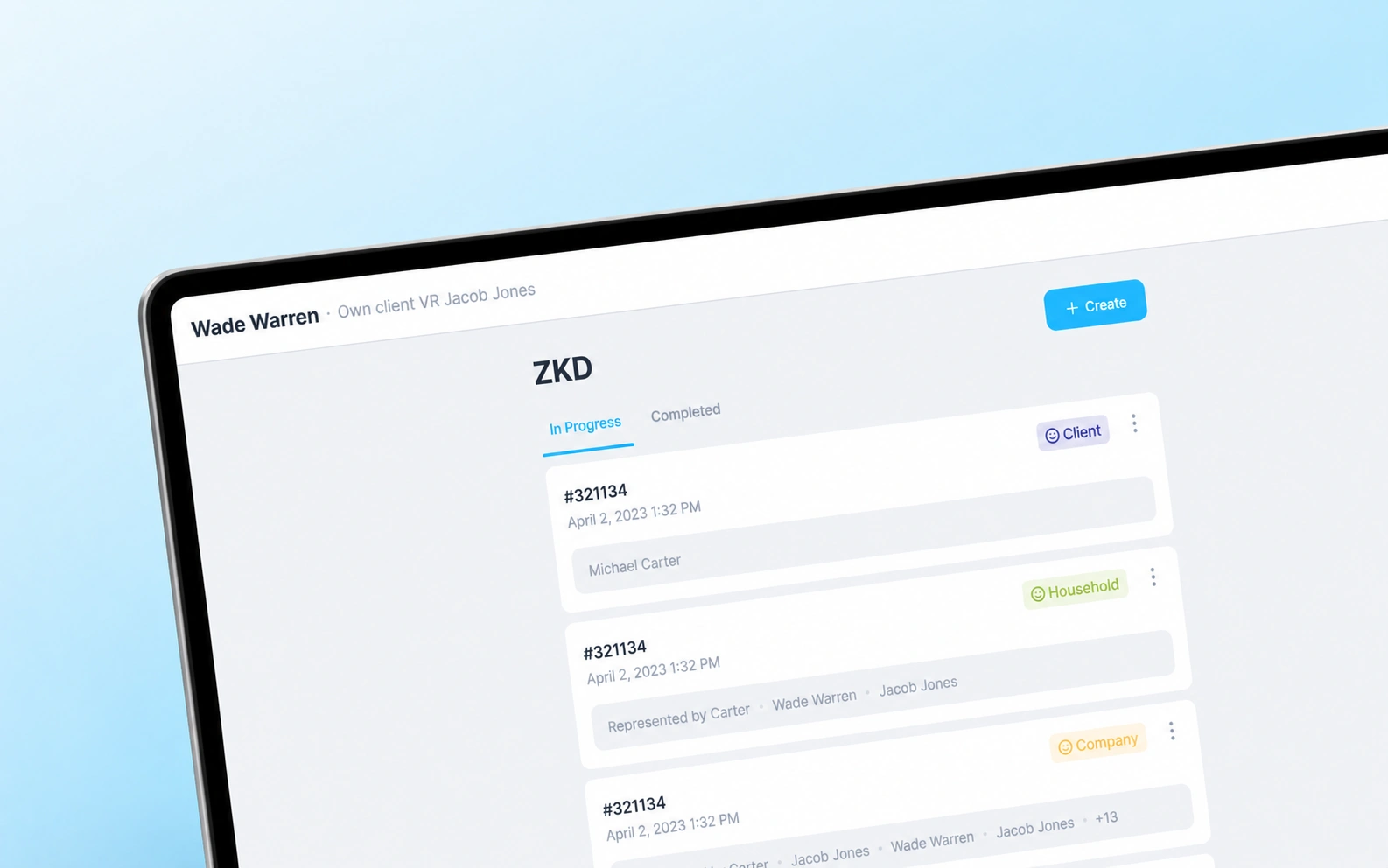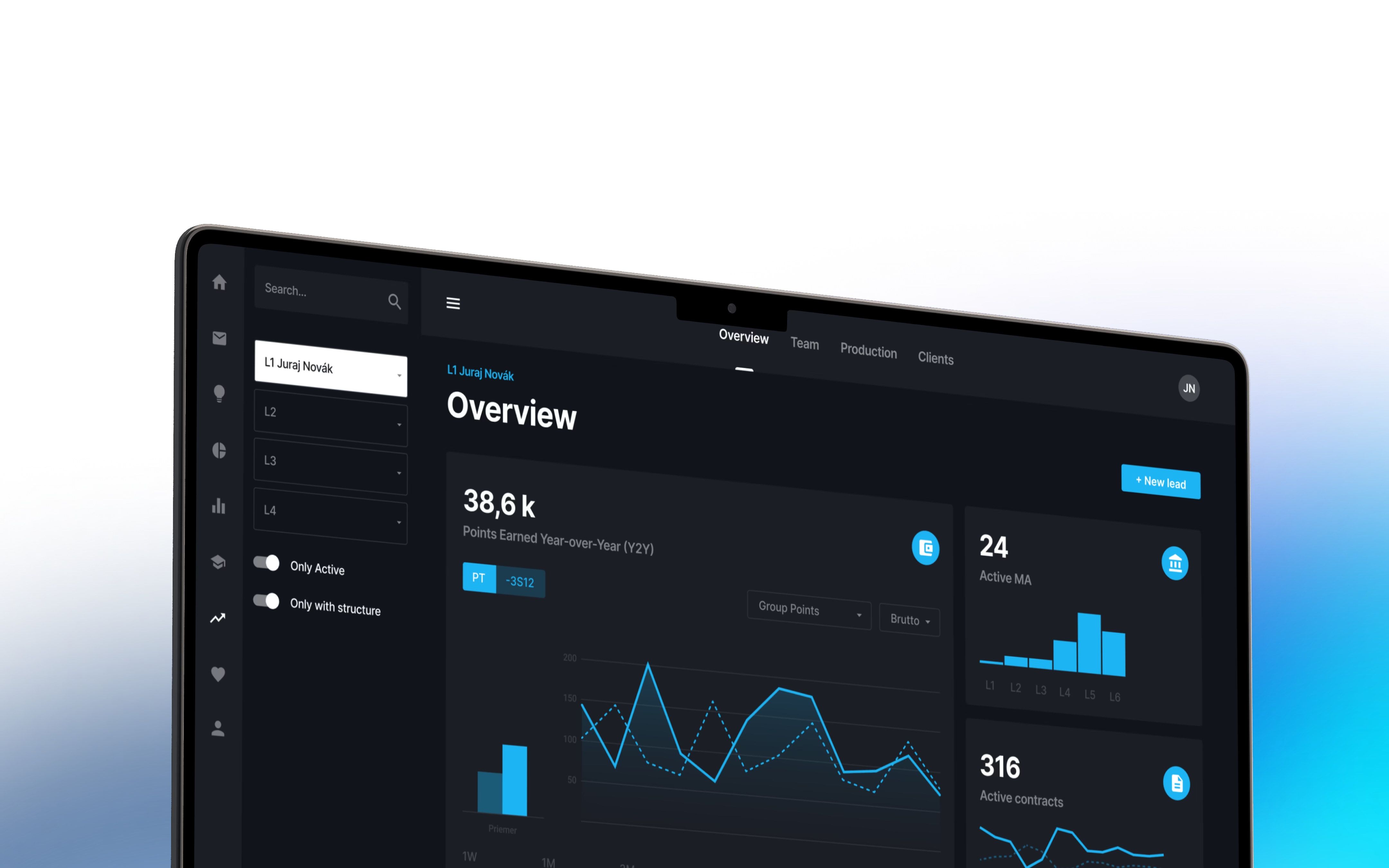
One shared view of every deal and its next step.
For a real estate team, a property deal involves much more than a contact and a sale price. People need to review the property, understand the financial details, complete checks and keep track of decisions. When that information lives in separate places, even finding out where a deal stands becomes work.
Outloud designed and built a custom internal platform that brings these tasks together. It combines a real estate CRM with property records and a guided deal pipeline, giving the team a shared place to manage the work and managers a clearer view of progress.
- Clearer oversight. Managers can see deals across stages and review the activity behind them.
- Better context for decisions. Property information, financial calculations and client history sit alongside the deal.
- More consistent handovers. Colleagues can find the latest notes, required information and next steps in the same workspace.
Made scattered records easier to work with.
The previous setup relied on spreadsheets, shared storage and disconnected tools. Each held part of the picture. Understanding a deal meant bringing those pieces together, while sharing an update depended on colleagues knowing where to look.
Management needed a consolidated view of the work. The people handling deals needed quick access to detailed information. A useful system had to serve both: an overview for spotting what needed attention, and enough depth to carry out the task.
That shaped the project from the start. We approached it as a problem of fragmented everyday work, mapping how information moved between people before deciding how the software should organise it.
Built the working tools around each property deal.
Outloud handled discovery, product design, application development and connections to an existing tool. The platform brings together several capabilities that the team previously had to coordinate across different places:
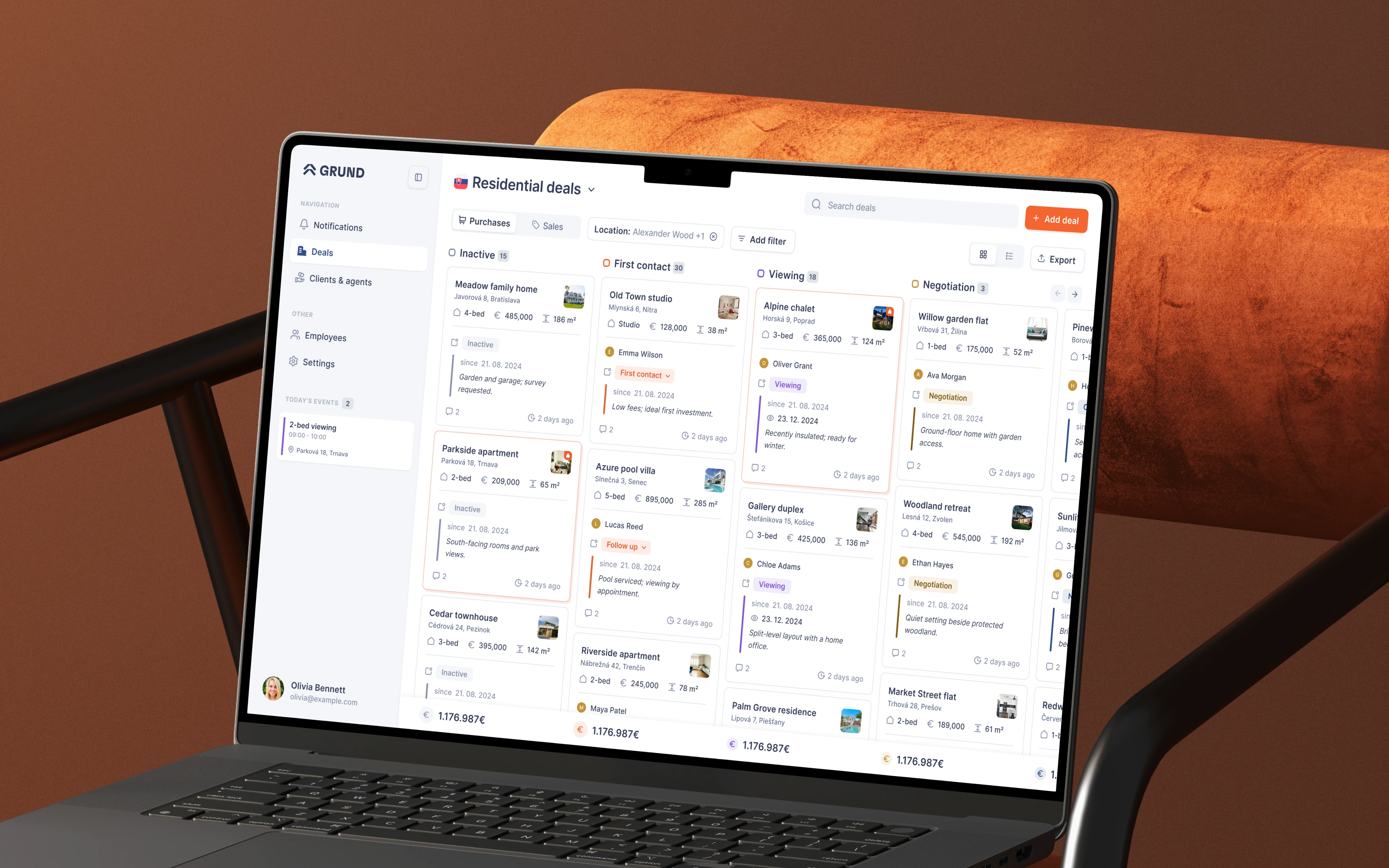
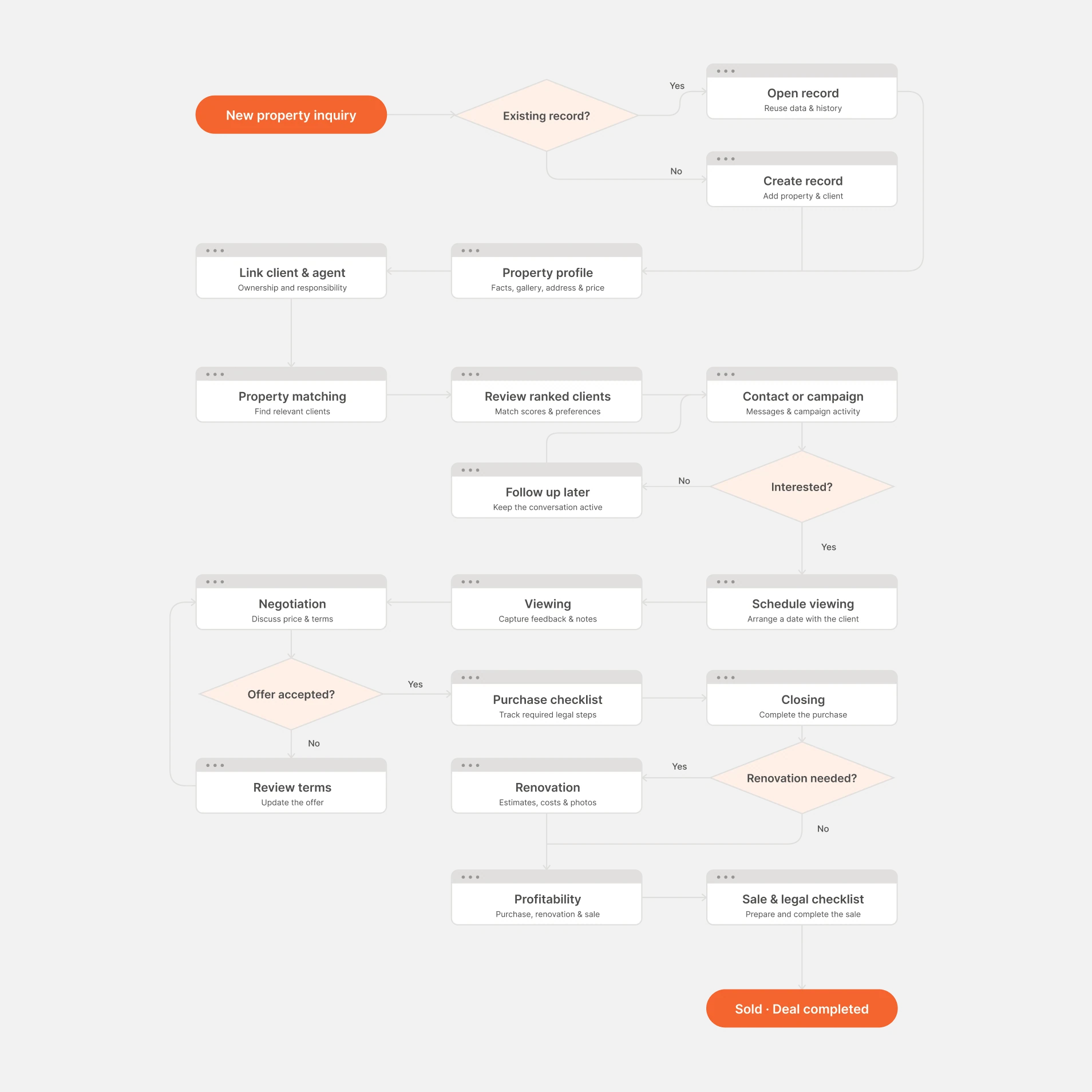
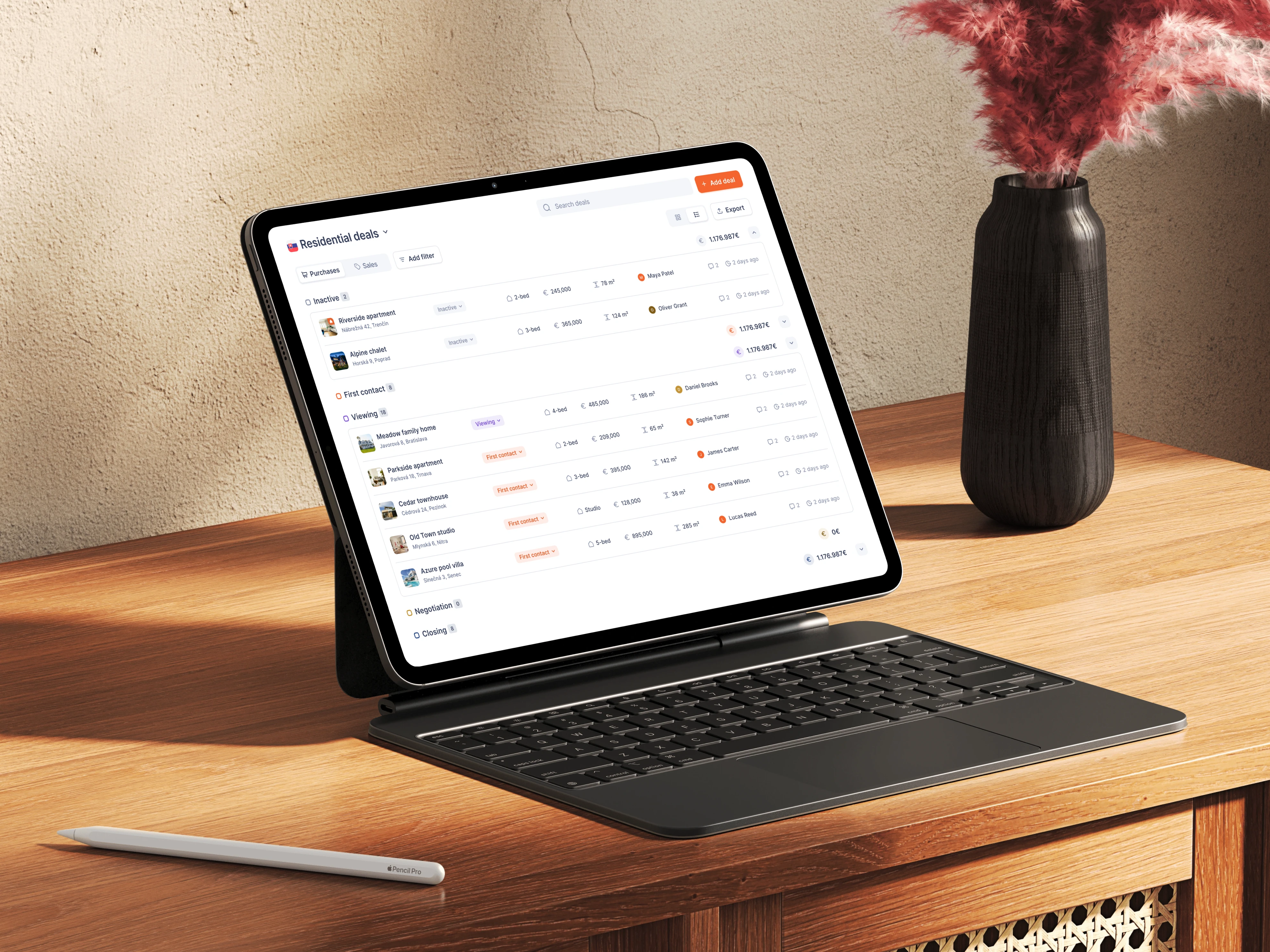
- A visual deal pipeline. Cards show the current stage and essential information, with drag-and-drop movement between stages.
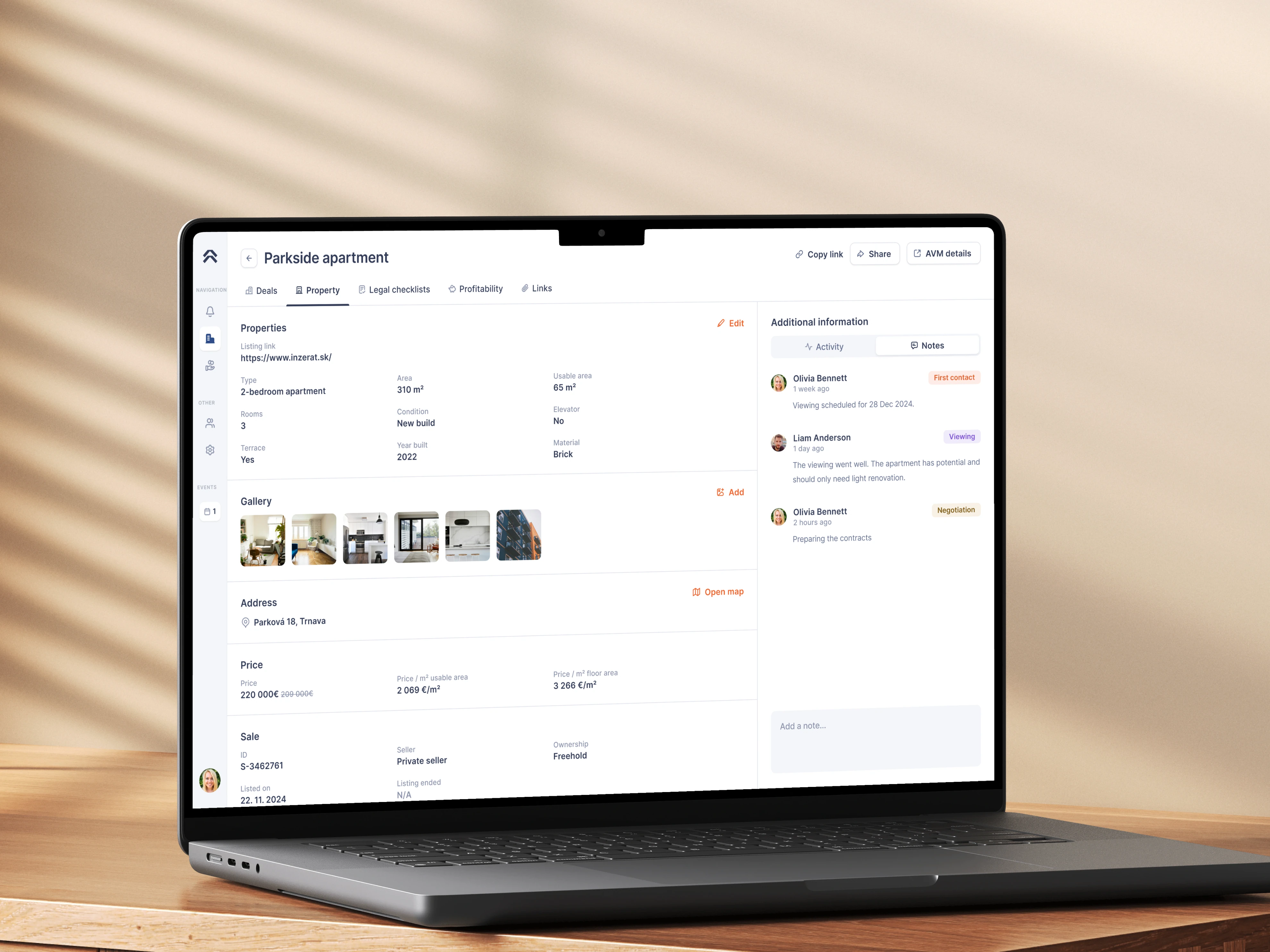
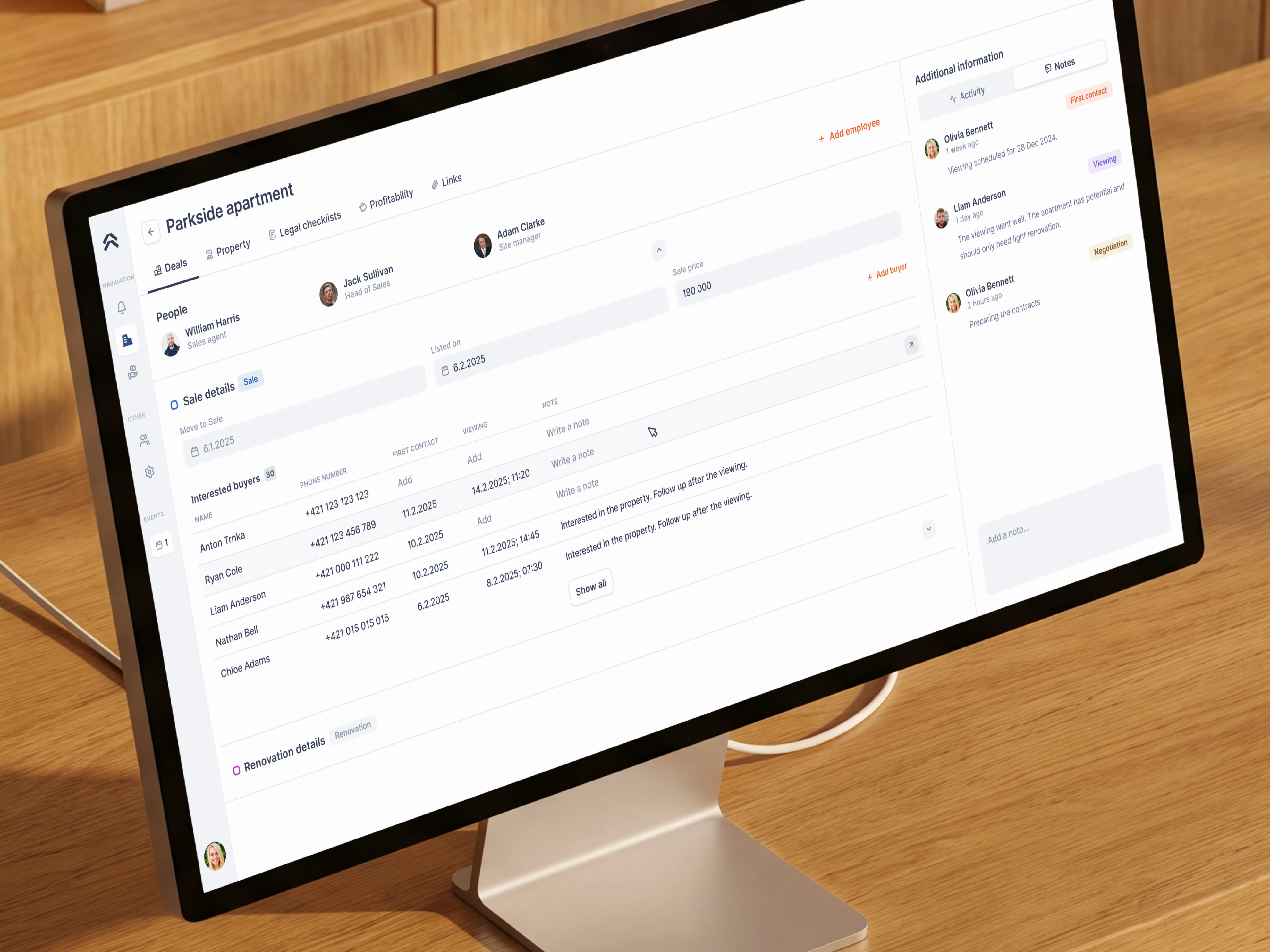
- Structured property records. Tabs separate property details, financial information, documentation and activity.
- Profitability calculations. The team can review the financial side of a deal within its working record.
- AI property evaluations. Each property receives an assessment of whether it looks like a good deal, supporting the team’s decisions.
- Checklists and stage-specific prompts. Required fields and reminders make the next task explicit.
- Connected client records. Buyers, sellers and prospects are linked to relevant properties, notes and deal history.
- An activity log. Changes and internal notes give colleagues and managers a record they can follow.
The value comes from the connections between these features. A client record leads to the relevant deal. The deal leads to its financial details and required checks. The team can follow the work without reconstructing those relationships each time.
Made the next step clear without showing everything at once.
The interface starts with a card-based pipeline. It gives people enough information to understand the status of a deal without opening every record. Selecting a card reveals the detail, organised into tabs so that the full record remains manageable.
When someone moves a deal into another stage, the application prompts them for the information and checks relevant to that step. This is where workflow automation helps: the software brings the requirements into the task, reducing reliance on remembering a separate procedure.
We also built ways to record deals that did not proceed, including the reason and associated price. The shared history can therefore explain what happened to an opportunity, rather than simply removing it from the active pipeline.
Helped the team assess property deals with AI.
The team needed to evaluate profitability as part of managing a deal. We brought the calculator and financial overview into the property record, alongside the operational information that gives those figures context.
We also built an AI evaluation feature that assesses each property and indicates whether it looks like a good deal. The team gets a recommendation alongside the financial information, helping them decide which opportunities deserve a closer look.
This keeps the calculation close to the decision. People can review the financial details and then move into the related property information or documentation, without treating each as a separate task in a separate tool.
Kept client history useful across the whole team.
The client management tools connect people to their deals. A client profile provides access to related records, while notes added within a deal carry through to the client’s history. The team can also add standalone notes and find records through search and filters.
For handovers, that shared context matters. A colleague can review what has already happened before taking the next action. Managers can use the activity log and their own notes to follow progress and investigate a deal that appears stuck.
Connected the information the team already relied on.
The new platform also needed to work with an existing external tool. We built data synchronisation into the application so it could use information from that source as part of the wider workflow.
This connection was part of the product design as well as the development work. Understanding which information came from elsewhere helped us decide what the application needed to show and what people still needed to provide.
Tested the design against the team’s actual work.
Discovery included hands-on demonstrations of the existing process. We watched how tasks were handled, discussed the information people needed and identified where the current setup created extra work.
We then tested clickable wireframes with employees before moving into visual design. These sessions exposed unclear navigation, missing functionality and interactions that did not match how people expected to work.
The central design challenge was keeping complex information accessible to people with different levels of confidence using software. Testing helped us make those decisions around real tasks, instead of assuming that a tidy-looking screen would be easy to use.
Put a useful first version into everyday use.
We defined a focused first release around the capabilities needed to manage real deals and clients. Additional improvements could follow without delaying the core working system.
Once the team started using it, some interactions needed adjustment. We worked with the client to identify the task behind each difficulty and turn that feedback into specific changes. Real use helped reveal where the original assumptions needed revisiting.
The result is a shared working system that connects the people, information and decisions behind a property deal. For teams considering custom real estate software, the practical starting point is to understand where those connections currently break down.
Explore the interface in the Property Management Platform case study.