Connected Bayswater’s students to school life in one app.
Bayswater is an international education provider offering students learning and experiences abroad. During a study stay, students need more than lessons: they need practical information, updates from their school and ways to take part in activities.
Outloud designed and built a student app for iOS and Android, together with the systems behind it. We connected school content, events, notifications and the existing learning portal in one mobile experience.
Gave school teams a direct channel to 9,460 registered users.
Those figures capture the adoption reported in the project notes. The wider change was giving Bayswater a direct digital channel to students. Instead of relying mainly on email and classroom announcements, school teams can publish useful information, manage events and send updates through the app.
Students can find services themselves and move into their learning content without a separate login. The app connects parts of the stay that previously felt like separate systems.
Brought a consistent student experience to multiple schools.
The earlier application had been built for a single school. The new product needed to work across Bayswater’s locations, with a consistent experience and content that teams could maintain.
We began with workshops to turn a high-level brief into student journeys and a clear application structure. We also audited the existing content system and worked with the learning provider on integration requirements. Students later took part in testing and structured feedback, helping refine the experience around their needs.
Let students find information, book events and access learning themselves.
- Practical information in one place. Students can find contacts, school information and news without searching through separate messages.
- Event discovery and registration. School activities become visible and accessible from the student’s phone.
- Direct school updates. Staff can manage notifications through a dedicated administration area.
- Simple student access. Email links and student verification provide a route into protected content without another password to remember.
- Connected learning. The existing e-learning portal opens with authentication handled in the background.
The product combines a self-service experience for students with tools for the staff managing it. Both sides were necessary: a polished app would offer limited value if everyday content changes still required a developer.
Removed repeat logins while protecting student-only content.
One requirement needed careful interpretation: the app should feel accessible without a complicated login, but parts of it should only be available to Bayswater students. Privacy mattered particularly because the audience includes younger people.
We separated public information from the student area. Practical content is available openly; protected services require a verified student identity. Passwordless email links simplify access, while the student ID is checked through the learning provider’s system.
The learning portal introduced another boundary. Students should not have to sign in again when moving from the app to their courses. We worked with the provider on background authentication so that separate systems could feel like one experience. This was a central part of the integration work, not simply an embedded web page.

Kept existing school systems working inside one app.
The project’s technical approach changed as those requirements became clearer. An initial Ionic implementation proved difficult to maintain around the background authentication and integration logic. We rebuilt the app in Flutter to provide a more maintainable shared codebase for iOS and Android.
Content management also needed two complementary parts. Bayswater’s existing Doclify system continued supplying shared content, while a custom administration tool handled users, events and notifications. The application backend and database connected these responsibilities.
The student-only area added complexity to app-store review, too. Launch preparation had to account for reviewers accessing restricted functionality, alongside testing across older and newer devices. These were delivery requirements that a visual prototype alone could not resolve.
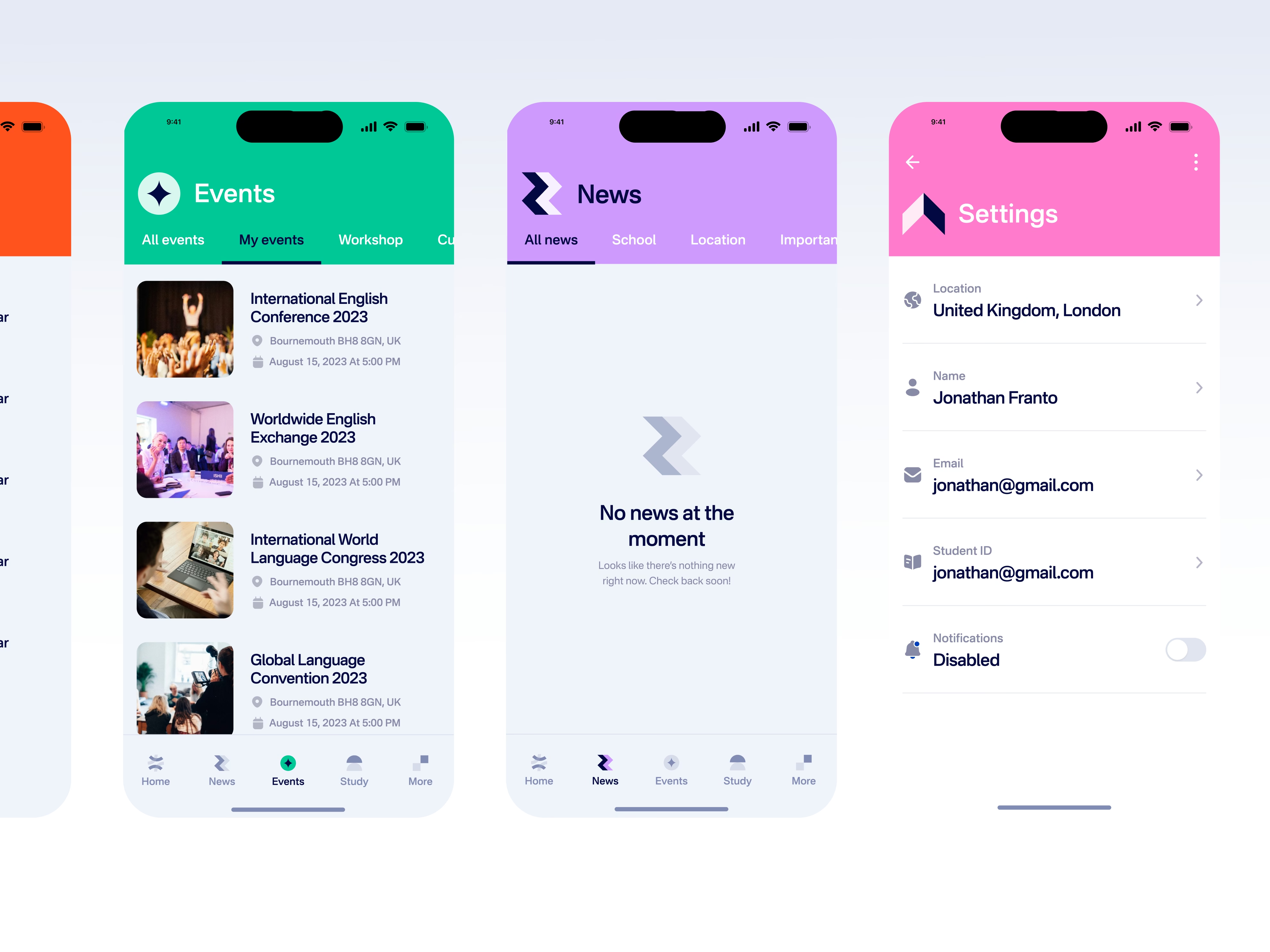
For Bayswater, the outcome was a mobile app supported by the content and integration work needed to operate it. Students have a clearer route to school life, while the school has a channel it can manage throughout their stay.
See the Bayswater visual case study for more of the app and its interface.